TV Remote: Wi-Fi Controller
Your phone as a Wi-Fi remote for Samsung, LG webOS and Roku TVs. No account needed.
What it does
TV Remote controls Samsung (Tizen), LG (webOS) and Roku TVs over your home Wi-Fi. There is no account, no cloud and no infrared blaster. Your phone and TV just need to be on the same network.
Features
Finds your TV
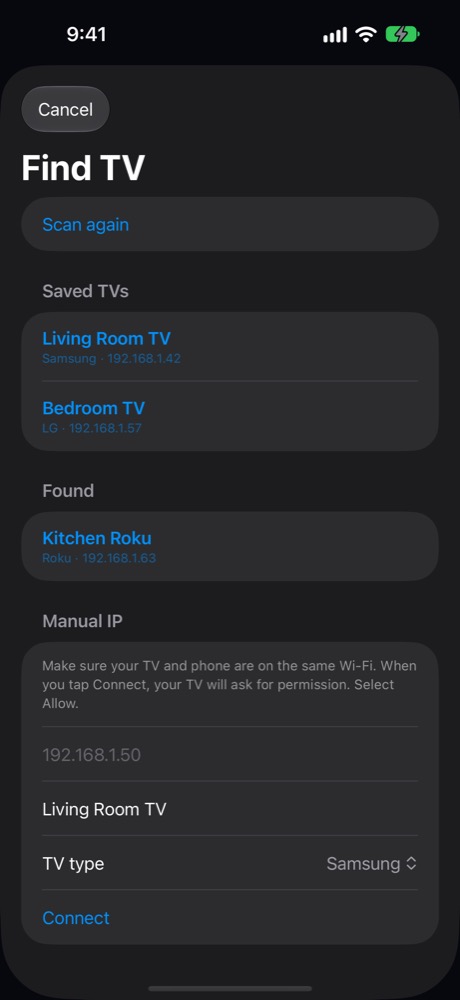
Scans the network automatically, or add a TV by IP address. Saved TVs reconnect when you return to the app.
Touch pad
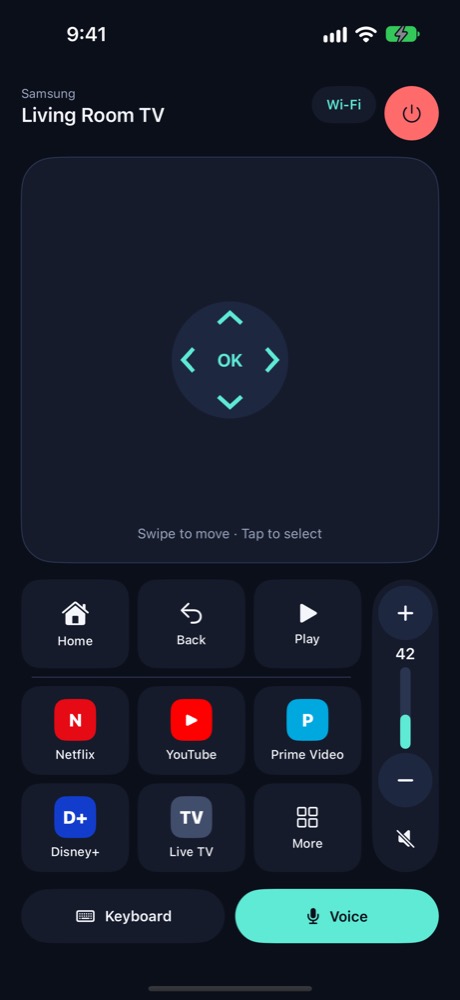
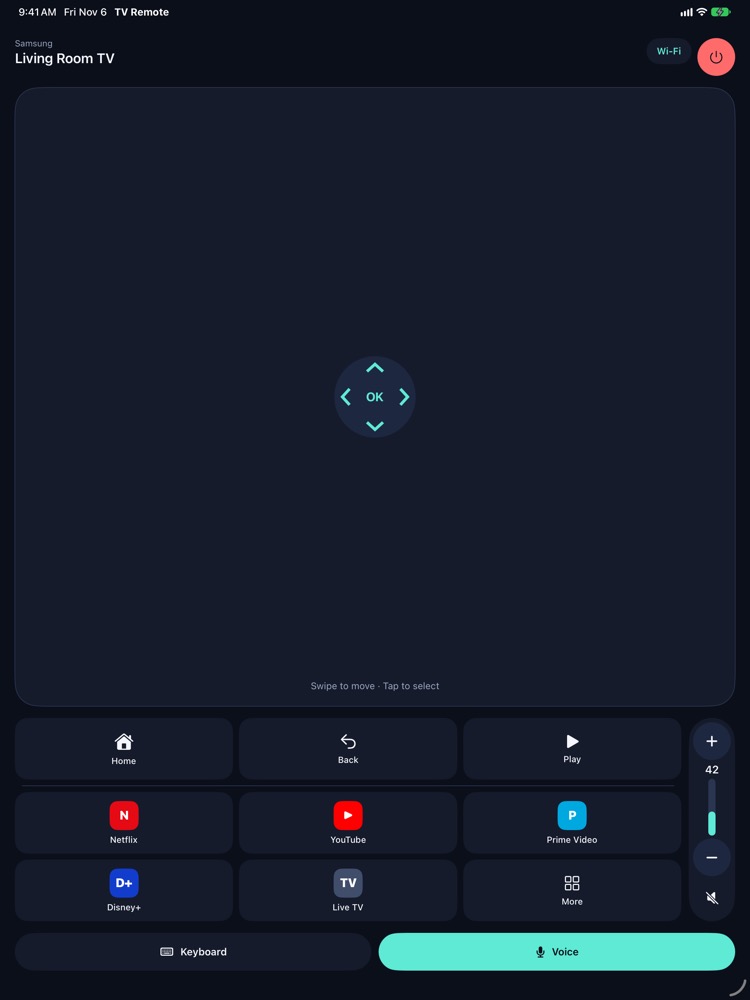
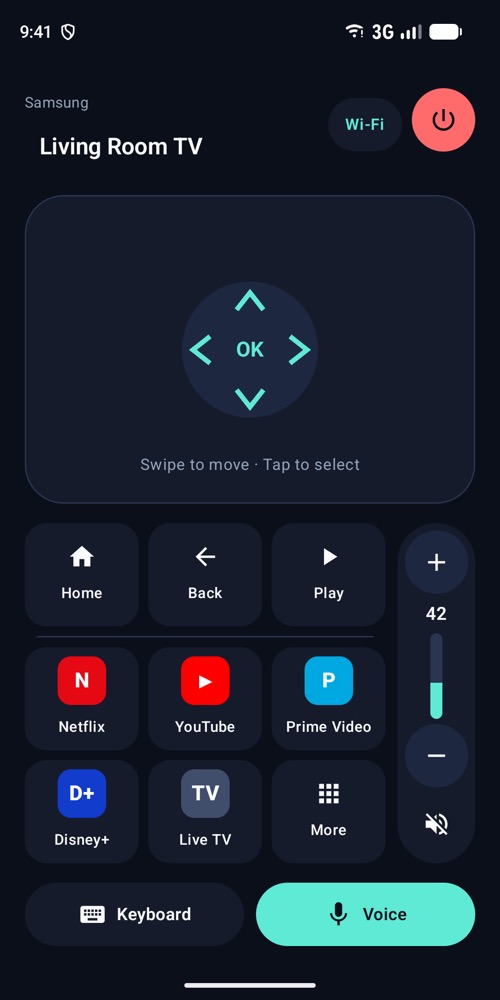
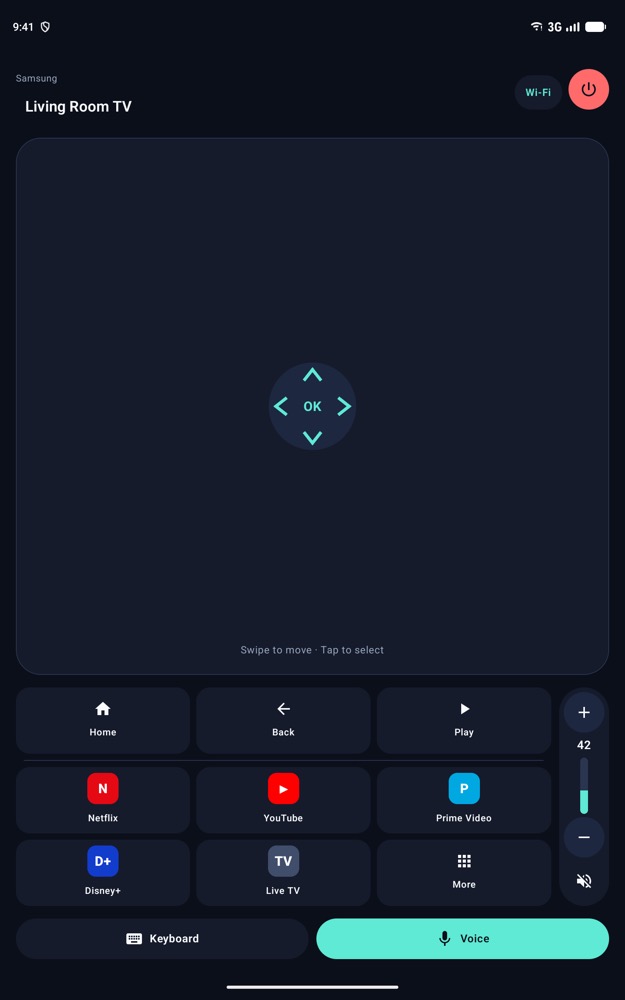
Swipe to move up, down, left and right with a small haptic tick for each step. Tap to press OK. Home, Back and Play keys are one tap away.
Volume
A vertical volume control with plus, minus, mute and drag-to-set. Samsung TVs report the real volume; LG and Roku show an estimate.
Keyboard
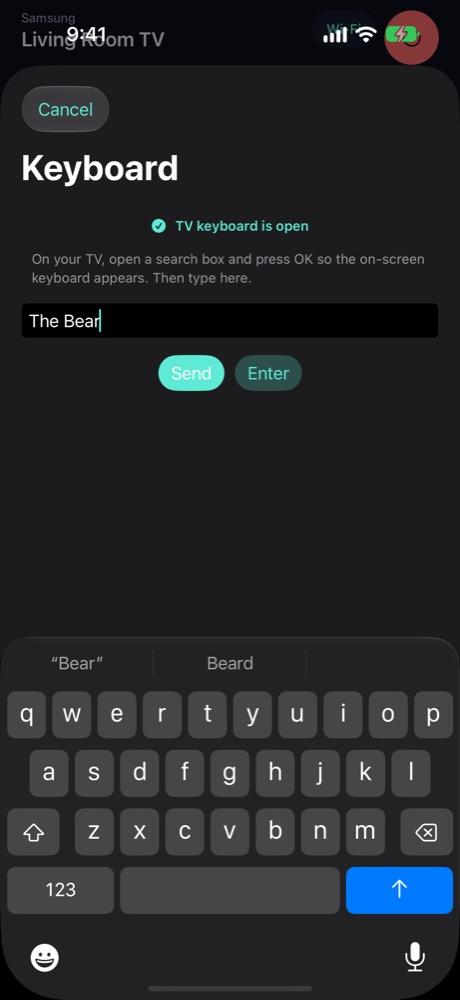
Type into the TV's search or text field from your phone. Best effort: not every model accepts text, especially some Samsung models.
Voice
Say "open Netflix", "volume 40", "mute" or "go home". Any other phrase is typed as a search.
App shortcuts
Jump straight to Netflix, YouTube, Prime Video, Disney+ or Live TV.
Supported TVs and devices
- TVs: Samsung with Tizen, LG with webOS, Roku TVs and players.
- Not supported: Android TV, Google TV, Fire TV, Apple TV and Vizio.
- iPhone and iPad on iOS 17 or later; Android phones and tablets on Android 8.0 or later.
- Languages: English, Spanish (Spain), Spanish (Latin America). Light and dark mode follow your system setting.
Pricing
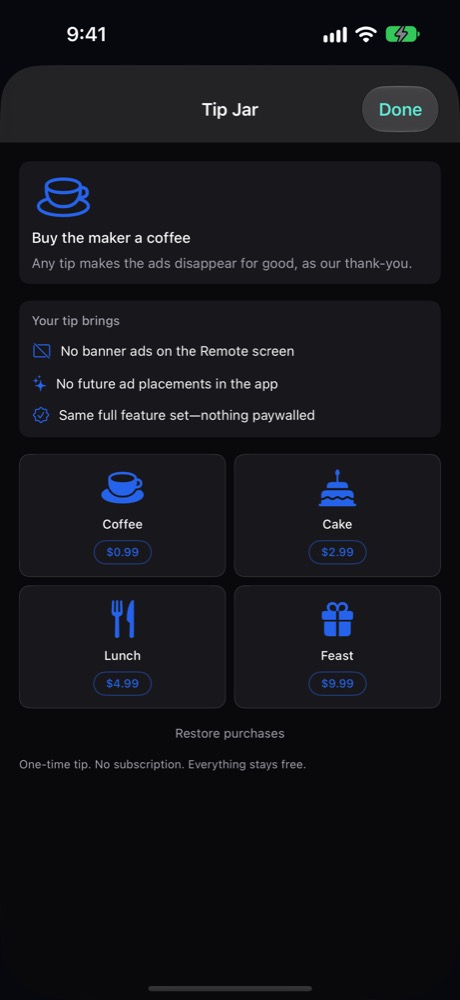
Every feature is free. One small banner ad appears on the Remote screen only. Leave a one-time tip in the Tip Jar to say thanks: Coffee $0.99, Cake $2.99, Lunch $4.99, or Feast $9.99. Any tip removes ads for good. No subscription. Use Restore Purchases on a new device with the same Apple ID or Google account.
Privacy at a glance
- No account, no backend, no analytics SDKs.
- Saved TVs and settings stay on your device.
- Voice uses your phone's speech recognition; the app does not record or store audio.
- Ads are provided by Google AdMob, with consent choices where required.
Read the full Privacy Policy.
Links and download
TV Remote is an independent app and is not affiliated with or endorsed by Samsung, LG, Roku, Netflix, Google or any other brand named.
© 2026 Yoraba