Speed Test Support
Measure download, upload, ping, and bufferbloat on iPhone, iPad, and Android. No account required.
Contact
Email: ali@yoraba.com
We aim to respond within 2 business days.
Getting started
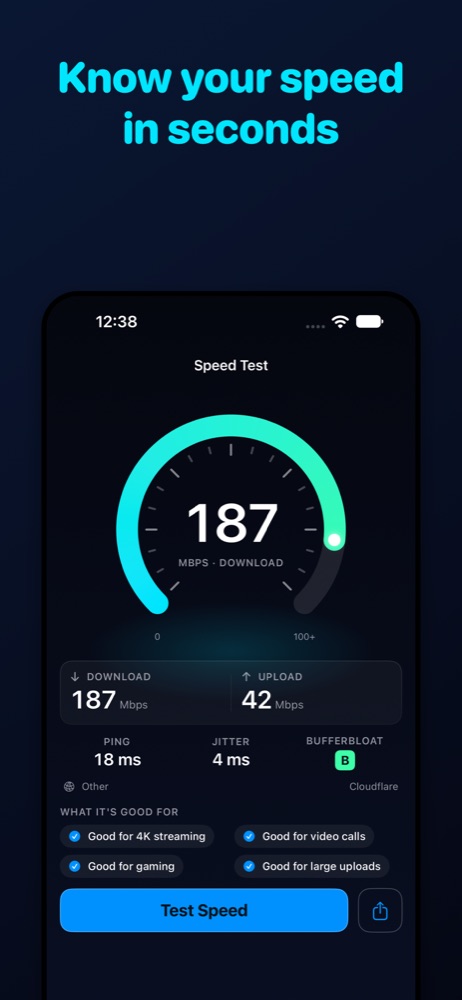
Open Test and tap Test Speed. A test takes about 30 seconds and shows download, upload, ping, jitter, and a bufferbloat grade with a plain-language verdict.
Frequently Asked Questions
What does the bufferbloat grade mean?
It measures how much your ping rises while the connection is busy downloading or uploading. A or B means calls and games should stay smooth even when someone else is using the network. D or F explains lag during video calls.
Why are my results different from another speed test?
Results depend on the server, the time of day, your Wi-Fi signal, and your device. Test close to your router on Wi-Fi, and try wired Ethernet for comparison. Speed Test uses Cloudflare's nearest server.
Why was my cellular test shorter?
To save data, tests on cellular stop after about 6 seconds per phase or about 50 MB. You see a one-time notice the first time.
The app asked me to confirm before testing
Low Data Mode (iOS) or Data Saver (Android) is on. A test uses data, so the app asks first. Choose Run Test to continue, or turn the setting off.
My test said "Connection changed"
The test stops if you switch between Wi-Fi and cellular, or lose connection, during a test. Run it again on a stable connection.
How do I change units?
Open Settings and choose Mbps or MB/s.
How do I share a result?
On a finished test, or from a test in History, tap share to send or copy a plain-text summary.
Where is my history stored?
On your device only, up to 500 tests. Open Settings and tap Clear all history to delete it, or delete a single test from History.
Which devices and languages are supported?
iPhone and iPad on iOS 17 or later; Android phones and tablets on Android 8.0 or later. Languages: English, Spanish (Spain), Spanish (Latin America). Light and dark mode follow your system setting.
How do I remove ads?
Open Tip Jar and send any tip (Coffee, Cake, Lunch, or Feast). Any tip removes ads for good. Tips are one-time purchases with no subscription.
Restore purchases didn't work
Sign in with the same Apple ID or Google account used for the tip, tap Restore purchases on the Tip Jar tab, and make sure you have a network connection. For billing issues, contact Apple Support or Google Play Support.
Privacy
Read our Privacy Policy, or return to the app page.
© 2026 Yoraba