Recipe Keeper
Every recipe in one place, without the life story. Save from any site, video or photo, cook step by step, and shop by aisle. No account, no ads.
Coming soon to the App Store and Google Play.
What it does
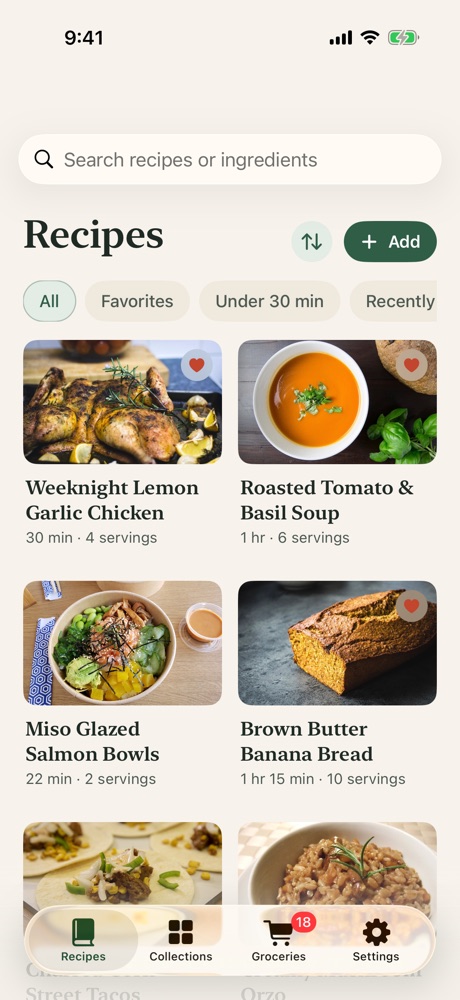
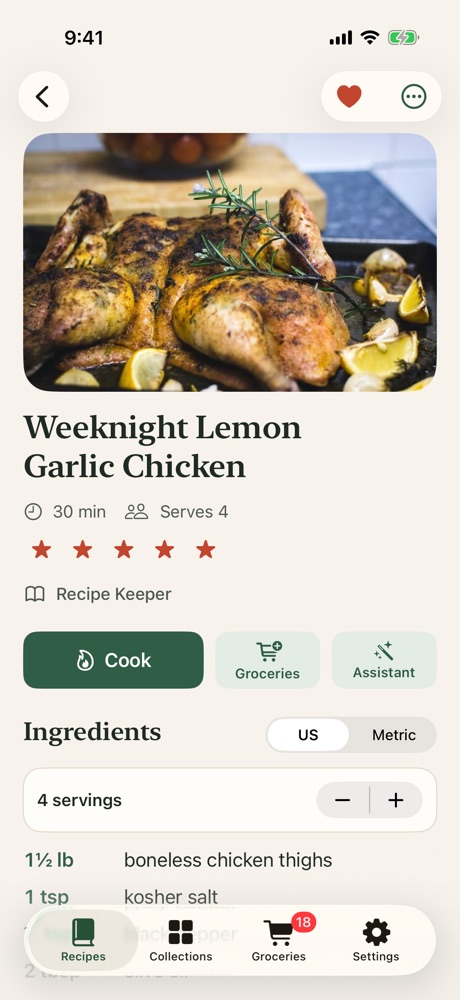
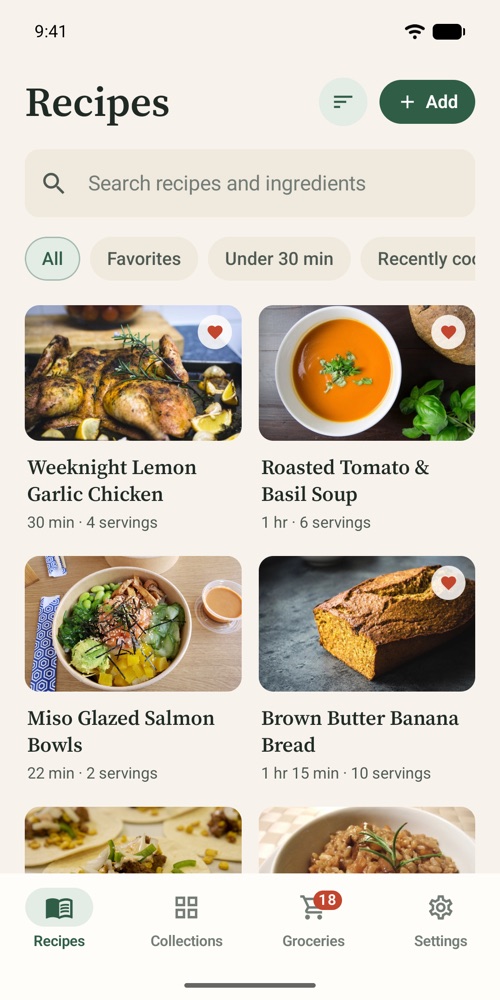
Recipe Keeper pulls the ingredients and steps out of recipe websites, YouTube descriptions, cookbook photos and pasted text, and saves a clean recipe card you can cook from. Ingredients are parsed into amounts, units and notes, so you can scale servings and switch between US and metric in one tap. Everything stays on your device. There are no ads and no analytics.
Features
Save from anywhere
Paste a link or share from your browser or YouTube, scan a cookbook page or handwritten card, paste text, or type it in. Review every import before saving.
Ingredients, parsed right
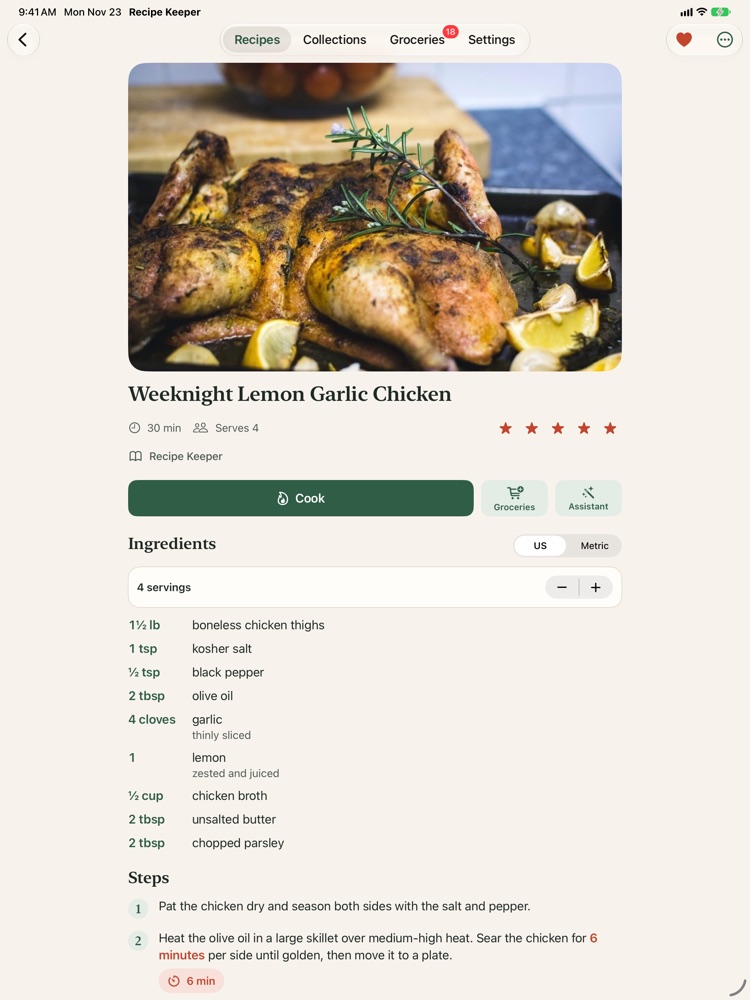
Fractions, ranges and notes like "1½ cups flour, sifted" are read reliably. Scale servings and convert between US and metric.
Cook Mode
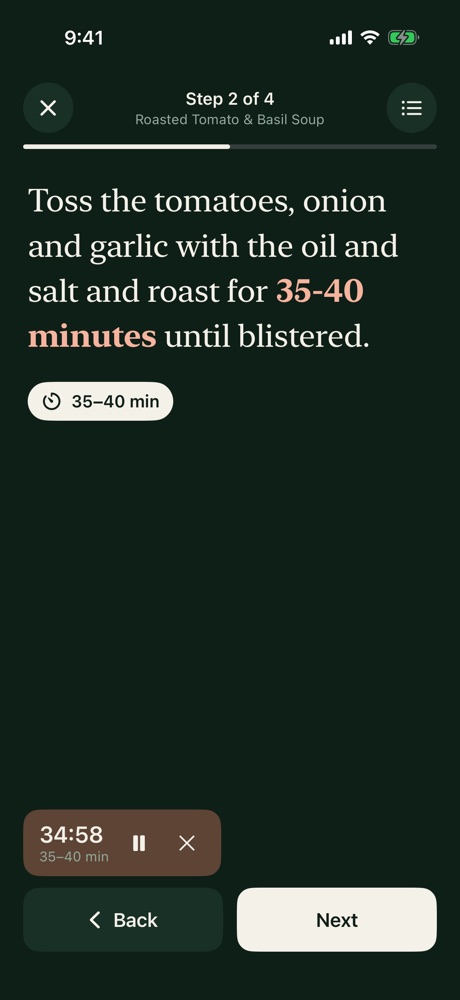
Big steps one at a time with a screen that stays on. Times in the steps become timers you start with a tap, with alerts when your phone is locked.
Groceries by aisle
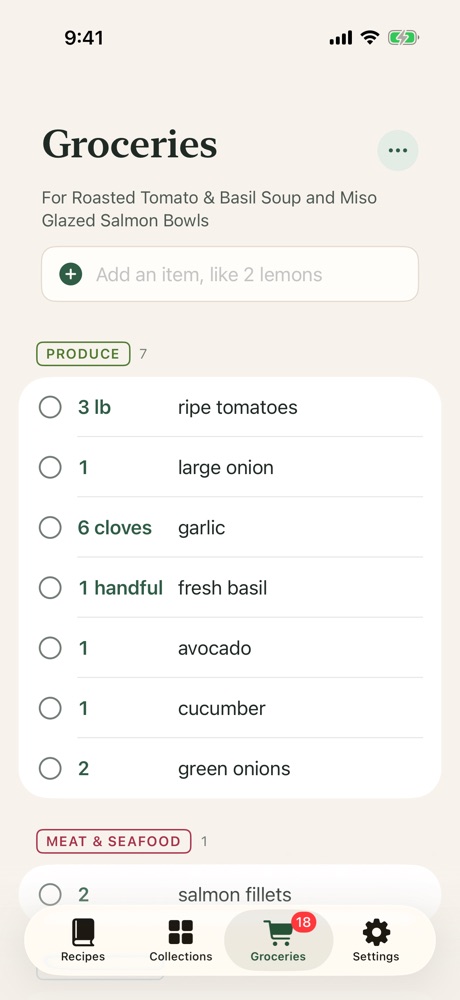
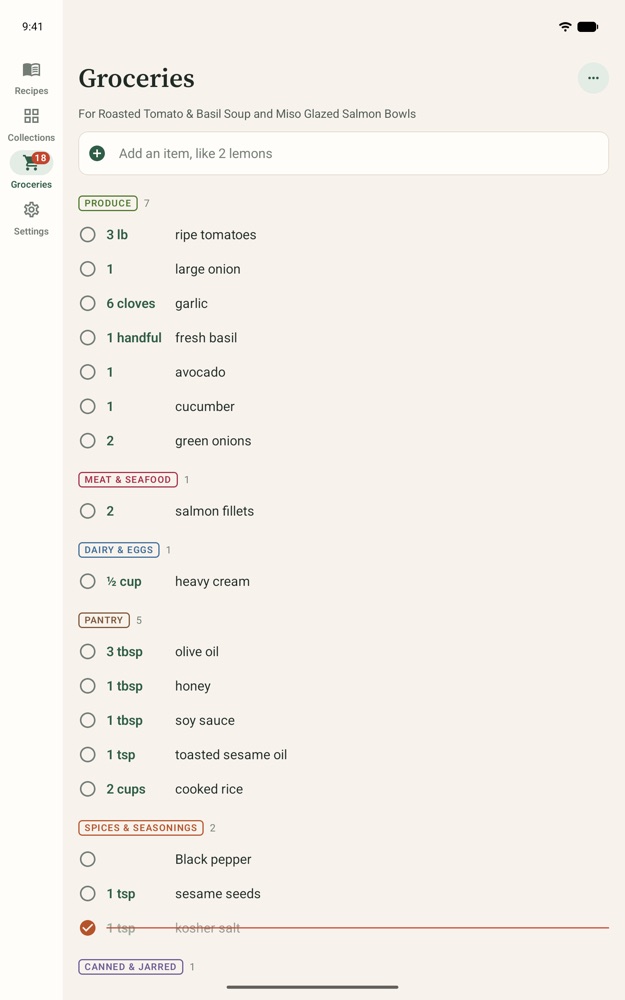
Add a recipe's ingredients at the servings you need. Lists from several recipes merge and sort by aisle. On iPhone, send the list to Reminders.
Kitchen assistant
Make a recipe dairy-free, gluten-free, vegetarian or vegan, halve or double it, or swap an ingredient, and preview every change. Uses Apple Intelligence or Gemini Nano where available.
Organize and share
Favorites, Quick and Recently cooked collections fill in on their own. Share a recipe as text, a picture card or a .recipe file, and export your library.
Supported devices
- iPhone and iPad on iOS 17 or later. Free-form assistant requests need Apple Intelligence (iOS 26 or later on a supported device).
- Android phones and tablets on Android 8.0 (API 26) or later. Free-form assistant requests need a device with Gemini Nano.
- Language: English.
- Light and dark mode follow your system setting.
Pricing
The first 30 days after you open the app are a full free trial, tracked on your device. No payment details are needed and nothing is charged when it ends. After that, Recipe Keeper Premium is an auto-renewing monthly subscription ($4.99/month; the store shows your local price) for imports, Cook Mode, scaling and conversion, adding to Groceries and the assistant. Your saved recipes, editing, sharing, export, collections and grocery list always stay open. Cancel any time in your store account settings.
Privacy at a glance
- Recipes, photos and grocery lists stay in the app's private storage on your device.
- Imports go straight from your device to the website you chose; nothing passes through Yoraba.
- Photo scanning and the kitchen assistant run on your device.
- No account, no ads, and no analytics, crash reporting or tracking SDKs.
- Payments are handled by the App Store or Google Play.
Read the full Privacy Policy.
Links
© 2026 Yoraba